ClassX Castalia CG and LiveBoard: A Complete Guide for Broadcast Graphics and Live Production
In modern broadcasting and live production, having reliable graphics and presentation software is essential for creating professional-looking content. Castalia CG and LiveBoard is a powerful solution designed for broadcasters, live event producers, educational institutions, and streaming professionals who need real-time graphics, overlays, and visual presentation tools.
Whether you are managing live television graphics, church presentations, sports scoreboards, or digital signage, Castalia CG and LiveBoard offers a flexible workflow that helps users create polished visuals with minimal complexity. This guide explains how the software works, its core features, practical use cases, and its advantages and limitations.
What Is Castalia CG and LiveBoard?
Castalia CG and LiveBoard is a broadcast graphics and live presentation platform used for creating lower thirds, overlays, scoreboards, titles, live feeds, and interactive presentations. It combines character generation (CG) tools with live production capabilities, making it useful for television studios, livestream creators, educational setups, and corporate events.
The software is known for its real-time rendering, customizable templates, and support for multimedia integration. Users can combine text, images, videos, animations, and live data into a single workflow to improve production quality.
For beginners, the interface is relatively accessible, while advanced users benefit from automation features, layered graphics control, and live switching support.
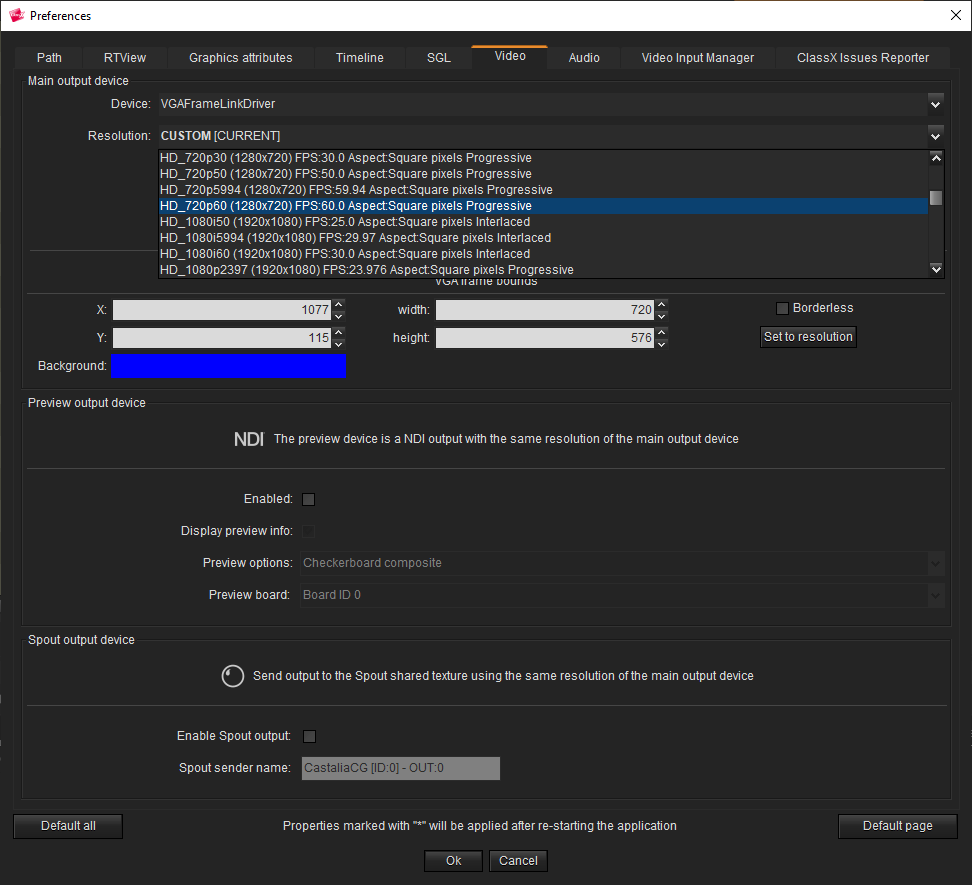
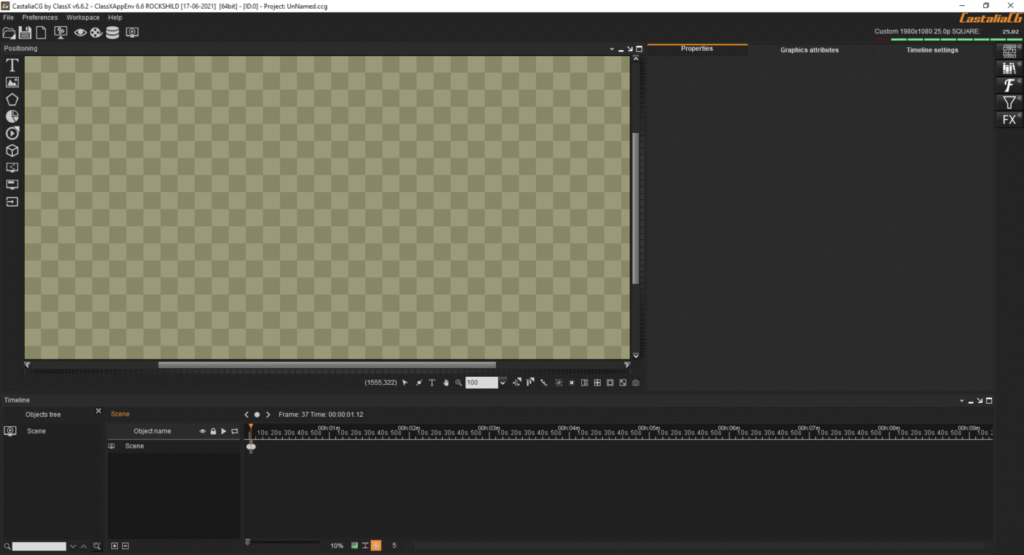
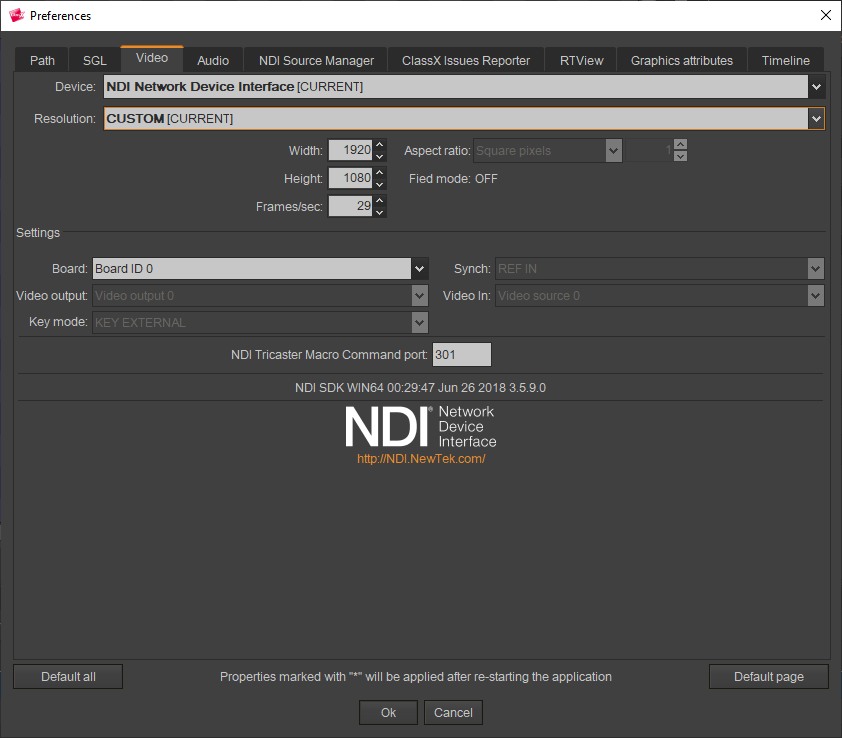
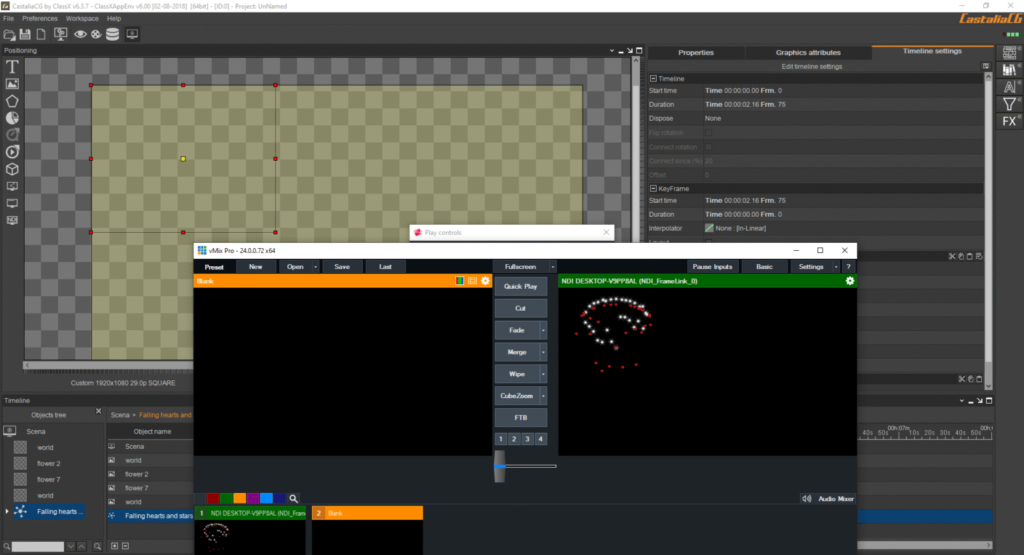
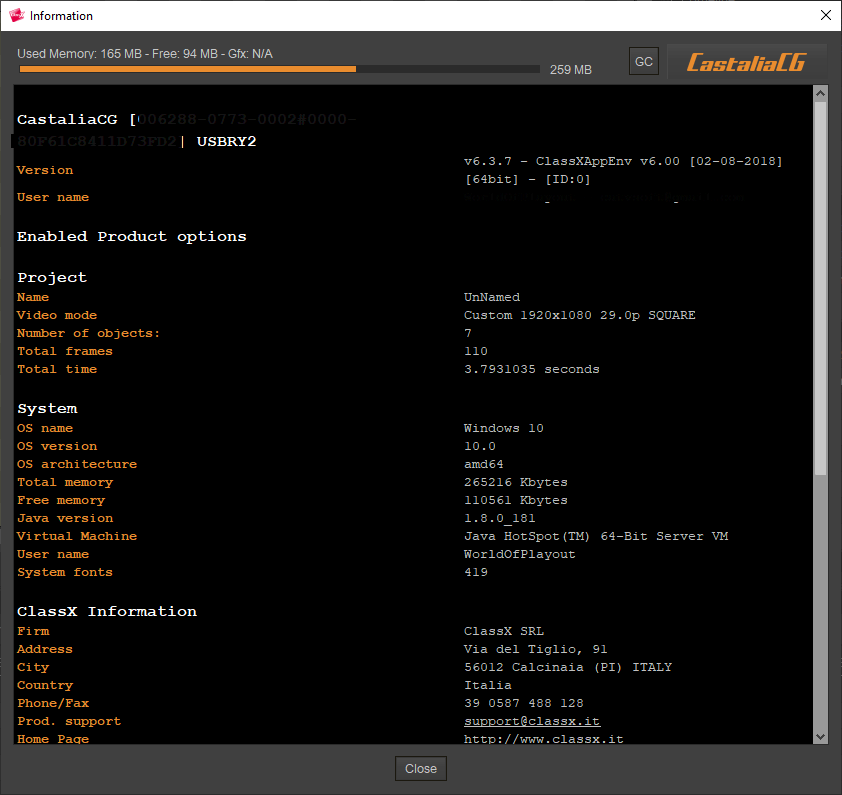
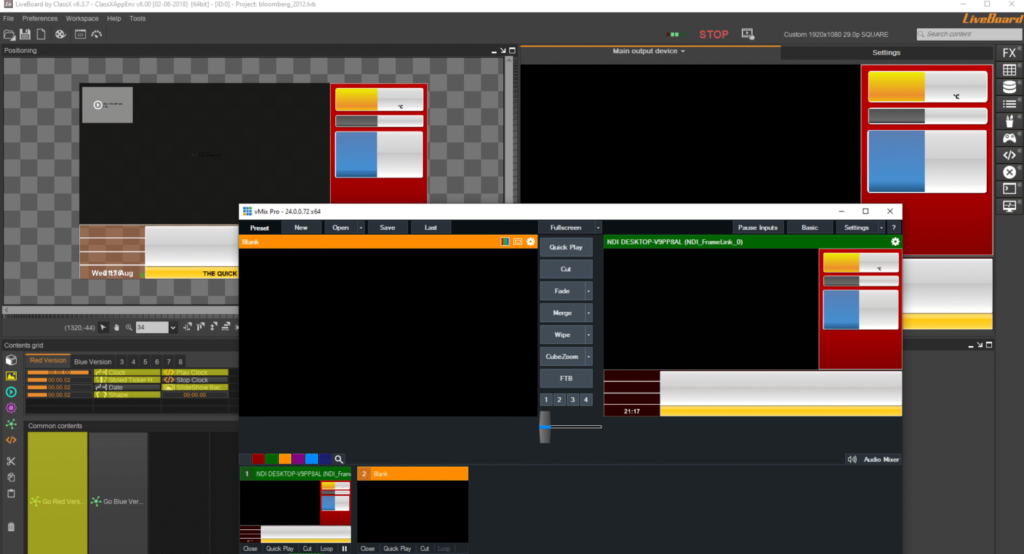
Step 1: Create a New Project
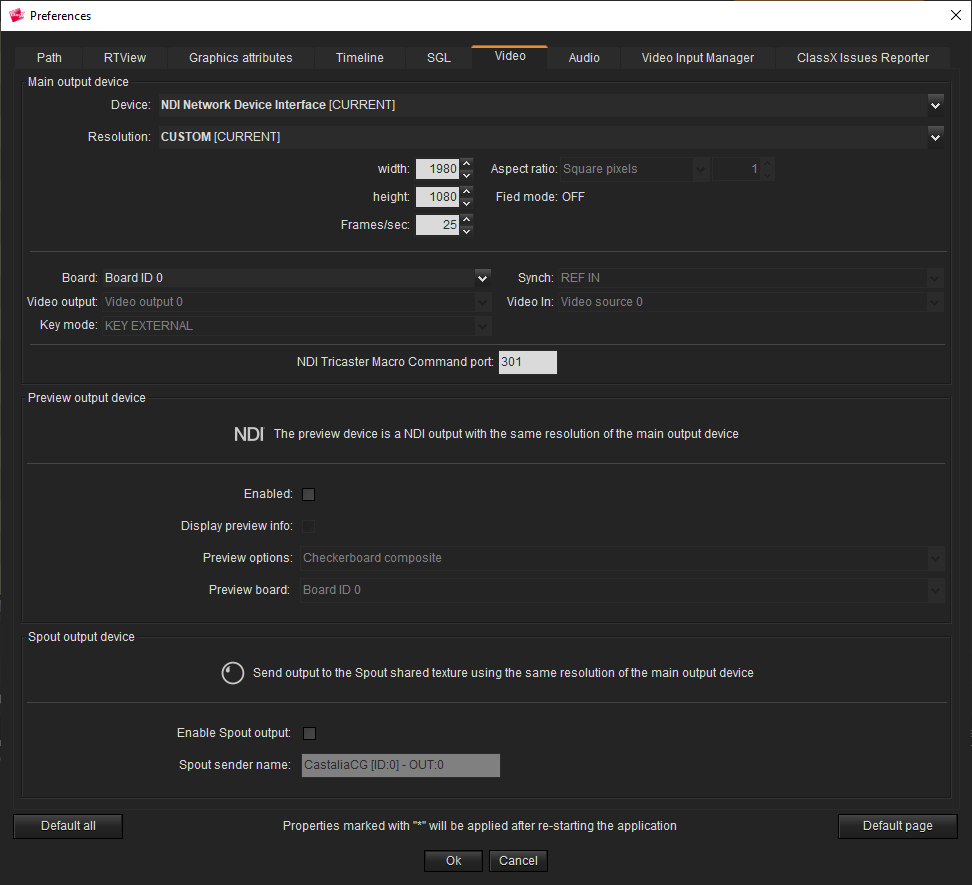
Getting started with Castalia CG and LiveBoard begins with creating a new project. After launching the software, users can select project settings such as screen resolution, aspect ratio, and broadcast format.
Most users working in HD broadcasting choose 1920×1080 resolution, while livestream creators may select settings optimized for streaming platforms. Organizing folders and naming scenes properly at this stage helps maintain an efficient workflow during live production.
The project dashboard typically allows users to manage:
- Scene layouts
- Graphic templates
- Media assets
- Live feeds
- Presentation boards
Creating a structured project early reduces confusion during fast-paced live broadcasts.
Step 2: Import Media / Setup
After creating the project, the next step is importing media and configuring the production environment. Castalia CG and LiveBoard supports a wide range of media formats, including images, video clips, audio files, and animated graphics.
Users can drag and drop files directly into the media library. This simplifies the process for beginners and speeds up workflow for experienced production teams. In addition, users can connect external video sources such as cameras, capture cards, or network streams.
Common setup tasks include:
- Importing logos and branding assets
- Adding lower-third templates
- Connecting live camera feeds
- Configuring ticker text
- Preparing scoreboards or presentation slides
A well-prepared media setup ensures smoother live operations and fewer technical interruptions during broadcasts.
Step 3: Main Workflow (Editing and Live Production)
The core workflow of Castalia CG and LiveBoard revolves around designing and managing live graphics in real time. Users can create scenes containing multiple layers of visual elements, including text, video backgrounds, transitions, and animations.
The timeline and scene management system allow operators to switch graphics instantly during a live event. This is especially useful for news broadcasts, sports productions, webinars, and livestreaming sessions.
The editing workflow generally includes:
- Designing graphic elements
- Arranging layers visually
- Setting transitions and animations
- Assigning hotkeys or triggers
- Broadcasting graphics live
One of the strongest aspects of Castalia CG and LiveBoard is its ability to combine presentation tools with professional broadcast graphics. Users can display slides, interactive visuals, and overlays simultaneously without needing multiple applications.
Step 4: Add Features (Effects, Tools, and Customization)
Customization is one of the major strengths of Castalia CG and LiveBoard. The platform includes numerous tools that help users create visually engaging productions with minimal effort.
Users can apply effects such as animated transitions, scrolling tickers, transparency layers, chroma key integration, and dynamic text updates. These features are especially valuable for television graphics and livestream overlays.
Popular customization features include:
- Real-time text editing
- Custom fonts and color themes
- Motion graphics support
- Multi-layer scene design
- Live scoreboard integration
- Data-driven graphics
- Template-based workflows
Advanced users can also automate graphic triggers for recurring broadcasts, saving time during production. This flexibility makes the software suitable for both small studios and large broadcast environments.
Step 5: Export / Save Output
Once the project is completed, users can save or export their output in different formats depending on production needs. Castalia CG and LiveBoard supports live broadcasting, recording, and video export workflows.
For livestreaming, the software can send output directly to streaming platforms through compatible broadcasting tools. Users can also record productions locally for editing or archiving purposes.
Typical export options include:
- HD video export
- Live SDI output
- Streaming integration
- Screenshot capture
- Scene template saving
Saving reusable templates is particularly useful for organizations that produce recurring content such as news shows, church services, educational lectures, or sports events.
Best Use Cases for Castalia CG and LiveBoard
Castalia CG and LiveBoard is highly versatile and can be used across multiple industries. Its combination of live graphics and presentation features makes it suitable for both professional broadcasting and smaller productions.
Some of the best use cases include:
- Live television broadcasting
- Sports scoreboards and overlays
- Church livestream production
- Corporate presentations
- Educational classrooms and seminars
- Webinar graphics management
- Live event stage displays
- Digital signage systems
Because the software supports real-time graphics workflows, it performs especially well in environments where quick visual updates are required.
Advantages and Limitations
Advantages
One of the biggest advantages of Castalia CG and LiveBoard is its ability to combine broadcast graphics with live presentation tools in a single platform. This reduces the need for multiple software solutions and simplifies production workflows.
Additional advantages include:
- Beginner-friendly interface
- Real-time graphics rendering
- Flexible scene customization
- Support for live media sources
- Professional-quality overlays
- Efficient workflow automation
- Multi-purpose production capabilities
The software also performs well in educational and event production environments where ease of use is important.
Limitations
Despite its strengths, Castalia CG and LiveBoard may have limitations depending on the production environment and user expectations.
Some users may find:
- Advanced features require learning time
- High-end productions may need powerful hardware
- Limited third-party plugin ecosystem
- Complex projects can become resource-intensive
- Certain broadcast integrations may require additional setup
For smaller teams, proper training may be necessary to fully utilize advanced live production tools.
Alternatives to Castalia CG and LiveBoard
While Castalia CG and LiveBoard is a capable solution, several alternatives are available depending on workflow requirements and budget.
Popular alternatives include:
- OBS Studio
- vMix
- NewBlue Titler Live
- Wirecast
- XSplit Broadcaster
- CasparCG
- Vizrt
- Livestream Studio
Each alternative offers different strengths. Some focus more on streaming, while others specialize in enterprise-level broadcast graphics and automation.
Frequently Asked Questions (FAQs)
Is Castalia CG and LiveBoard suitable for beginners?
Yes, the software is designed with a relatively user-friendly interface. Beginners can quickly learn basic workflows such as creating overlays, importing media, and managing scenes.
Can Castalia CG and LiveBoard be used for livestreaming?
Yes, it supports live production workflows and can work alongside livestreaming setups for online broadcasts and webinars.
Does the software support real-time graphics?
Yes, one of its key strengths is real-time graphics rendering for live broadcasts, presentations, and events.
What industries commonly use Castalia CG and LiveBoard?
The software is commonly used in broadcasting, education, sports production, churches, corporate events, and digital signage environments.
Does Castalia CG and LiveBoard support video inputs?
Yes, users can connect external video sources such as cameras, live feeds, and capture devices for professional production workflows.
Conclusion
Castalia CG and LiveBoard is a flexible and professional solution for creating live broadcast graphics, presentations, and real-time visual productions. Its combination of character generation tools and live workflow features makes it valuable for broadcasters, educators, event organizers, and livestream creators.
The software offers a strong balance between usability and advanced functionality software , allowing both beginners and professionals to produce polished content efficiently. While advanced projects may require more powerful hardware and setup experience, the overall platform remains highly capable for modern live production needs.
For users seeking reliable broadcast graphics software with live presentation integration, Castalia CG and LiveBoard stands out as a practical and versatile choice.
Download
Telegram ID
eMail