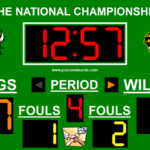
SuiteCG MultiSport Scoreboard: Complete Guide for Professional Sports Broadcasting
Sports broadcasting has become more accessible, but presenting live scores, game information, team details, and statistics professionally still requires the right graphics solution. SuiteCG MultiSport Scoreboard is designed to help broadcasters, schools, sports organizations, and live-streaming teams manage sports scoring and on-screen graphics from a centralized system.
The software supports multiple sports and can work with production platforms through technologies such as NDI, XML, and CSV. Its sport-specific interfaces are designed to make live scorekeeping easier while allowing operators to send dynamic information to broadcast graphics. SuiteCG supports sports including basketball, baseball/softball, American football, soccer, hockey, tennis, volleyball, and wrestling.
Step 1: Create a New Project
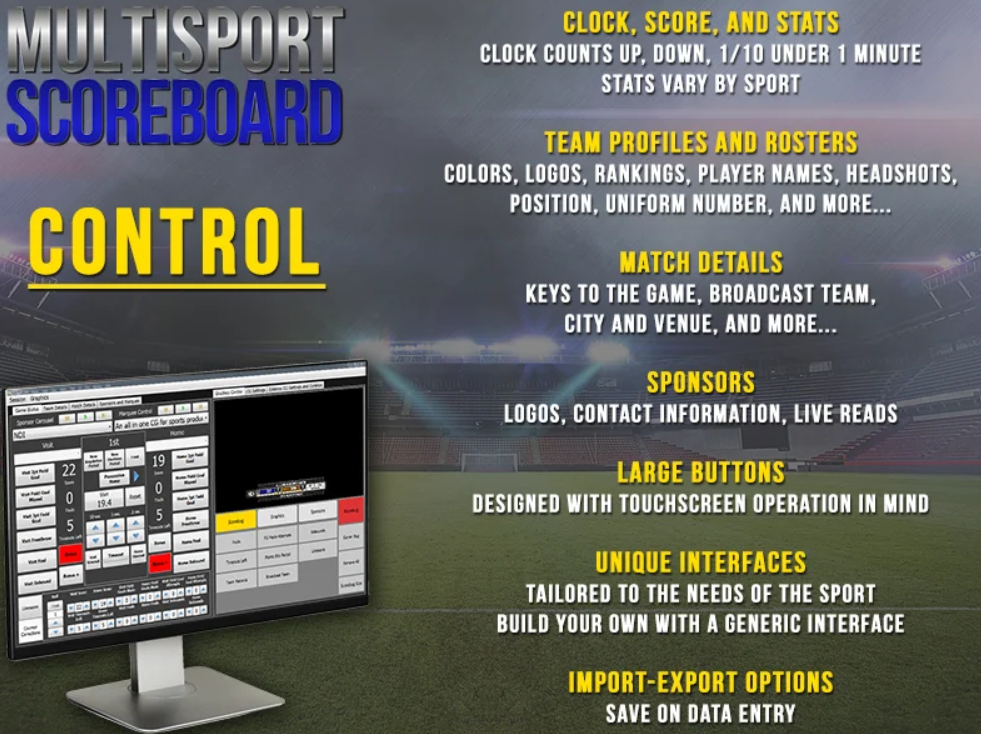
Getting started with SuiteCG MultiSport Scoreboard begins with preparing a session for the sport you want to cover. Instead of building every scoring control from scratch, operators can use sport-specific interfaces designed around the requirements of different games.
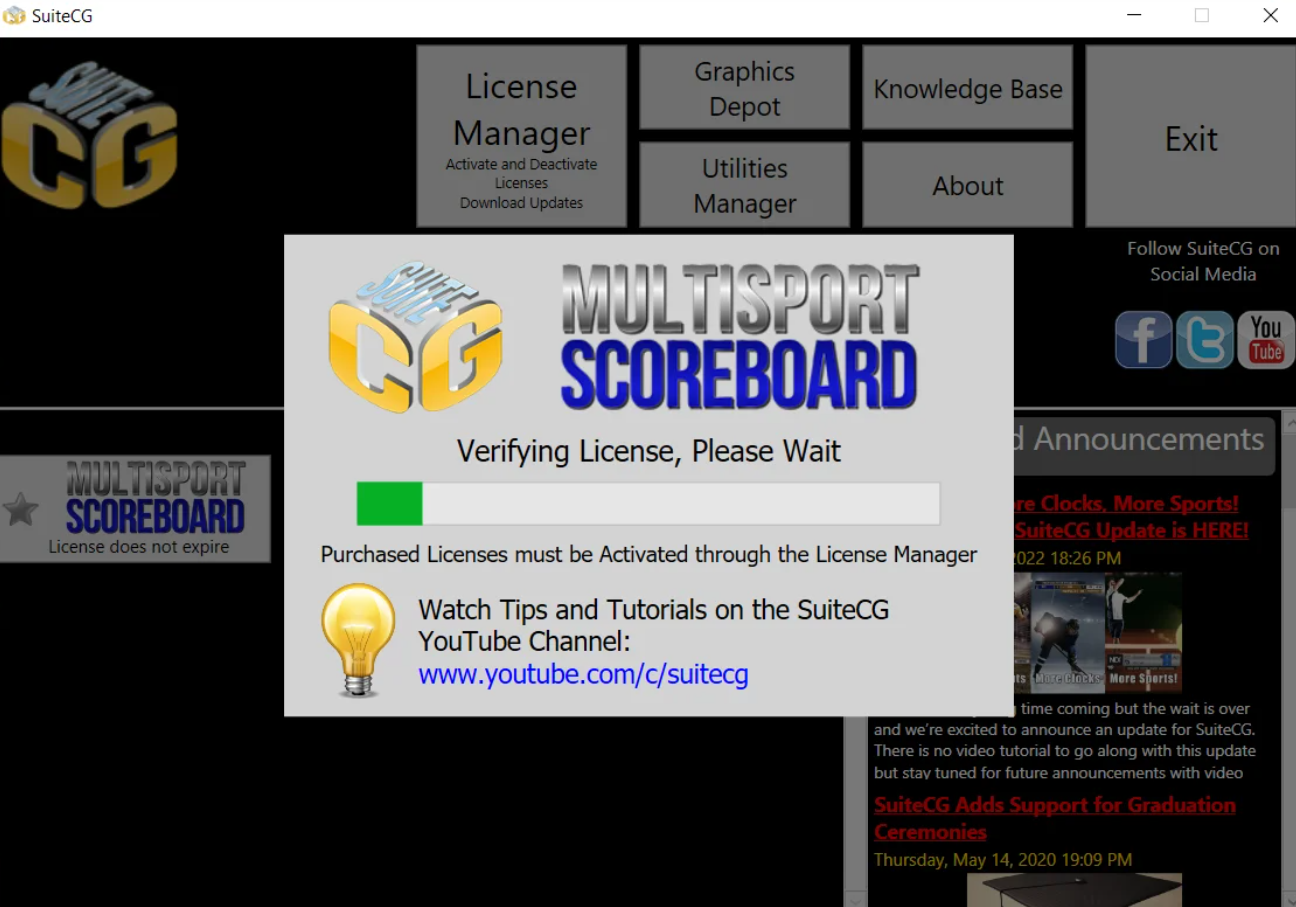
Choose the appropriate sport and prepare the game information, including team names, match details, scoring configuration, and other relevant information. The software is intended to be operated on a Windows computer, and SuiteCG recommends using a separate computer from the main production software for better workflow management.
For beginners, starting with the built-in controls is the easiest approach. Once you become familiar with the interface, you can explore additional settings, graphics controls, data outputs, and customization options.
Step 2: Import Media / Setup
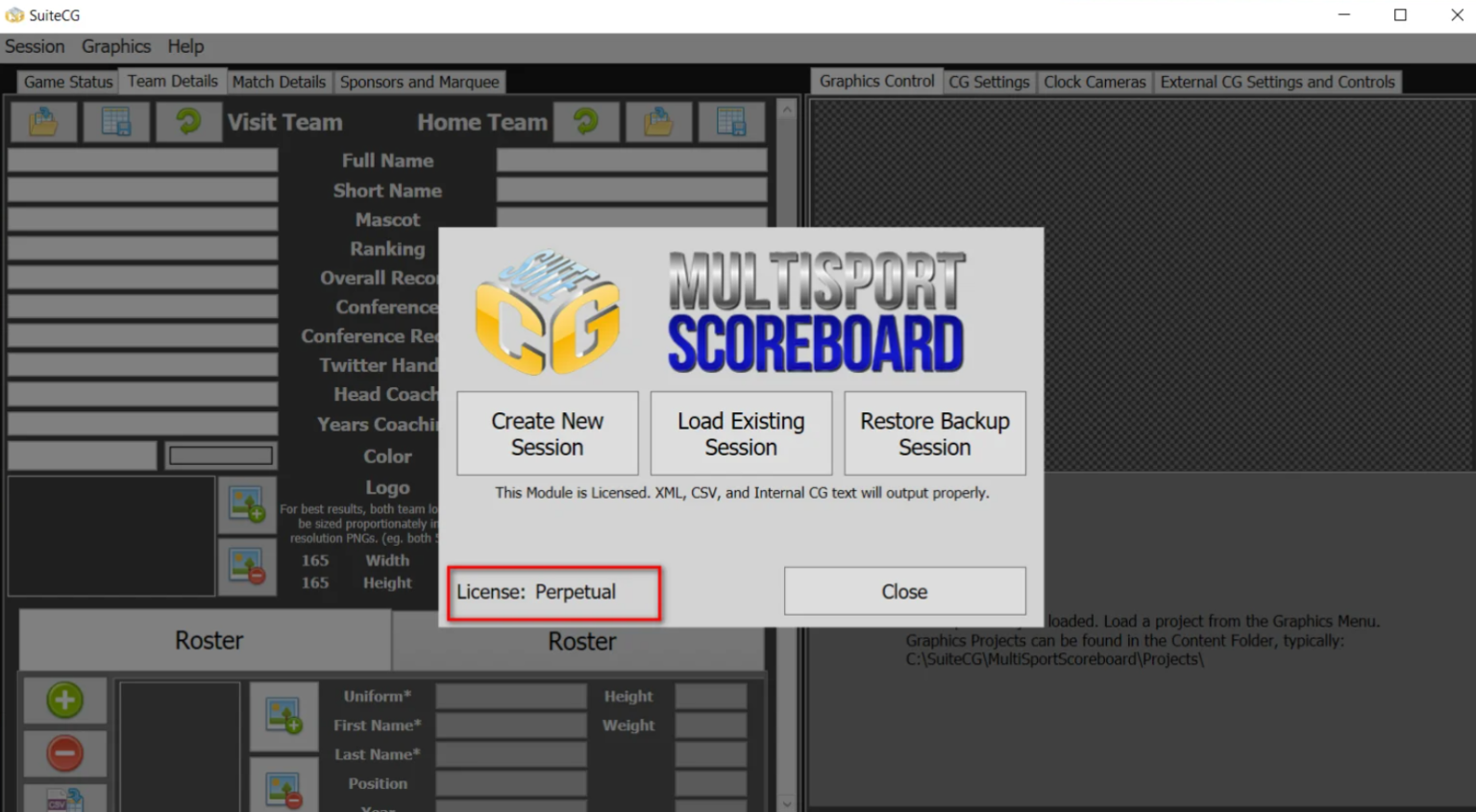
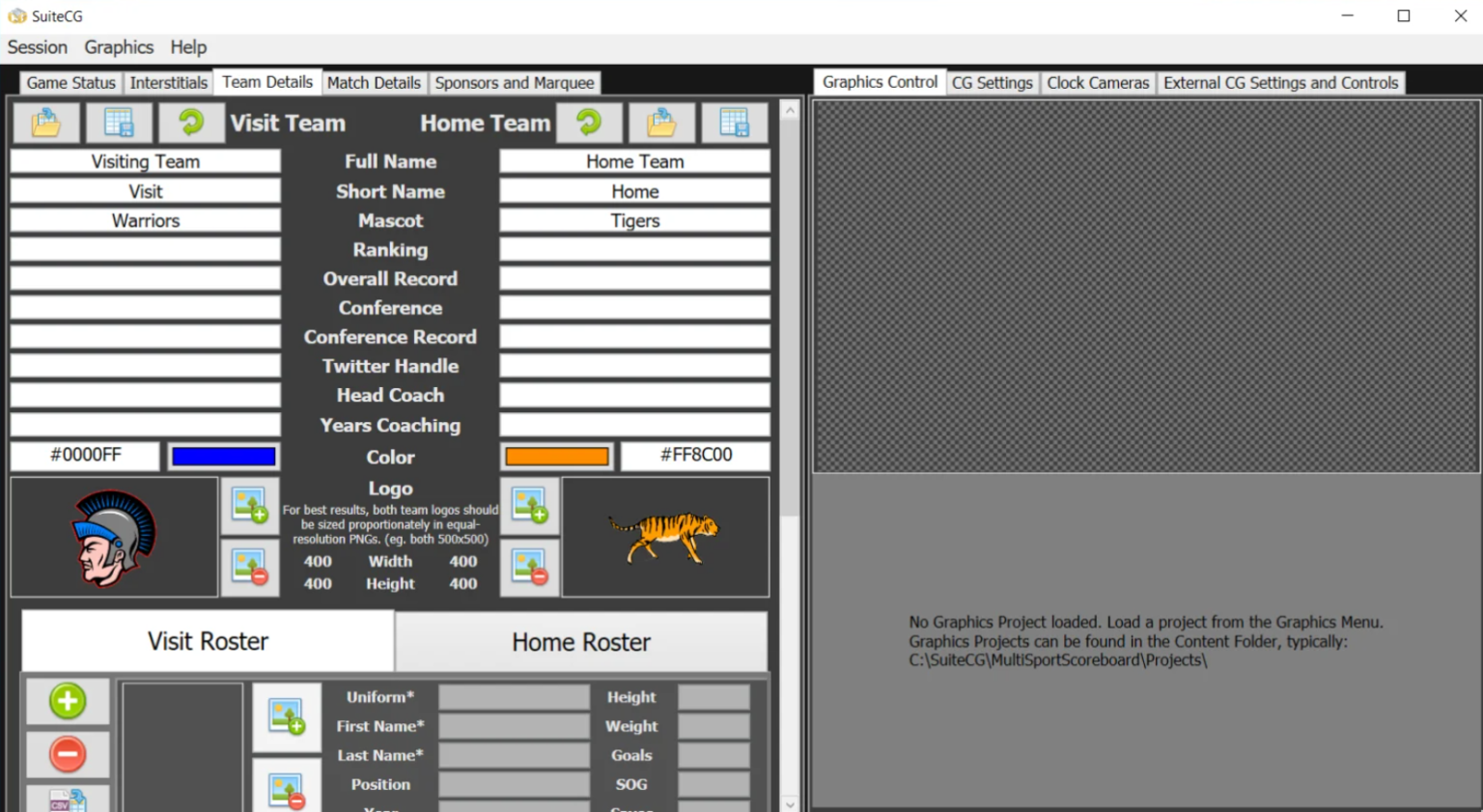
Before going live, it is important to prepare your teams, graphics, logos, and production environment. Depending on the workflow, team information and rosters can be prepared ahead of time so the operator does not have to repeatedly enter the same information during every game.
SuiteCG has also introduced team profile and roster functionality, including options for importing and exporting team information and importing rosters from CSV or tab-separated files. This can make preparation faster for organizations that regularly cover the same teams or leagues.
The next step is connecting SuiteCG to your production system. Its graphics can be delivered through NDI, while XML and CSV outputs can be used with compatible third-party production and graphics applications. Supported workflows include platforms such as vMix, OBS Studio with NDI support, Wirecast, and other systems capable of receiving compatible data or NDI sources.
Step 3: Main Workflow
The main purpose of SuiteCG MultiSport Scoreboard is to give the operator practical controls for updating live game information while simultaneously providing data to broadcast graphics.
During a game, the operator can update scores, clocks, periods, innings, sets, player information, penalties, and other sport-specific details depending on the selected interface. This reduces the need to manually edit graphics every time the score changes.
The workflow is particularly useful for live sports streaming because the score information can be reflected in on-screen graphics as the game progresses. SuiteCG’s built-in graphics packages can include scorebugs and additional presentation elements rather than functioning only as a basic scoring tool. (SuiteCG)
For sports with more complex events, dedicated controls can simplify the process. For example, SuiteCG’s soccer interface includes workflows for red and yellow cards, substitutions, player headshots, and related graphics. Its hockey support includes features such as power-play displays, players-on-ice information, delayed penalties, empty-net situations, and penalty-box information. (SuiteCG)
Step 4: Add Features, Effects, and Customization
One of the strongest aspects of SuiteCG MultiSport Scoreboard is that it goes beyond basic scorekeeping. Its graphics packages can display information such as team logos, statistics, matchup information, sponsor graphics, lower thirds, and other game-related content.
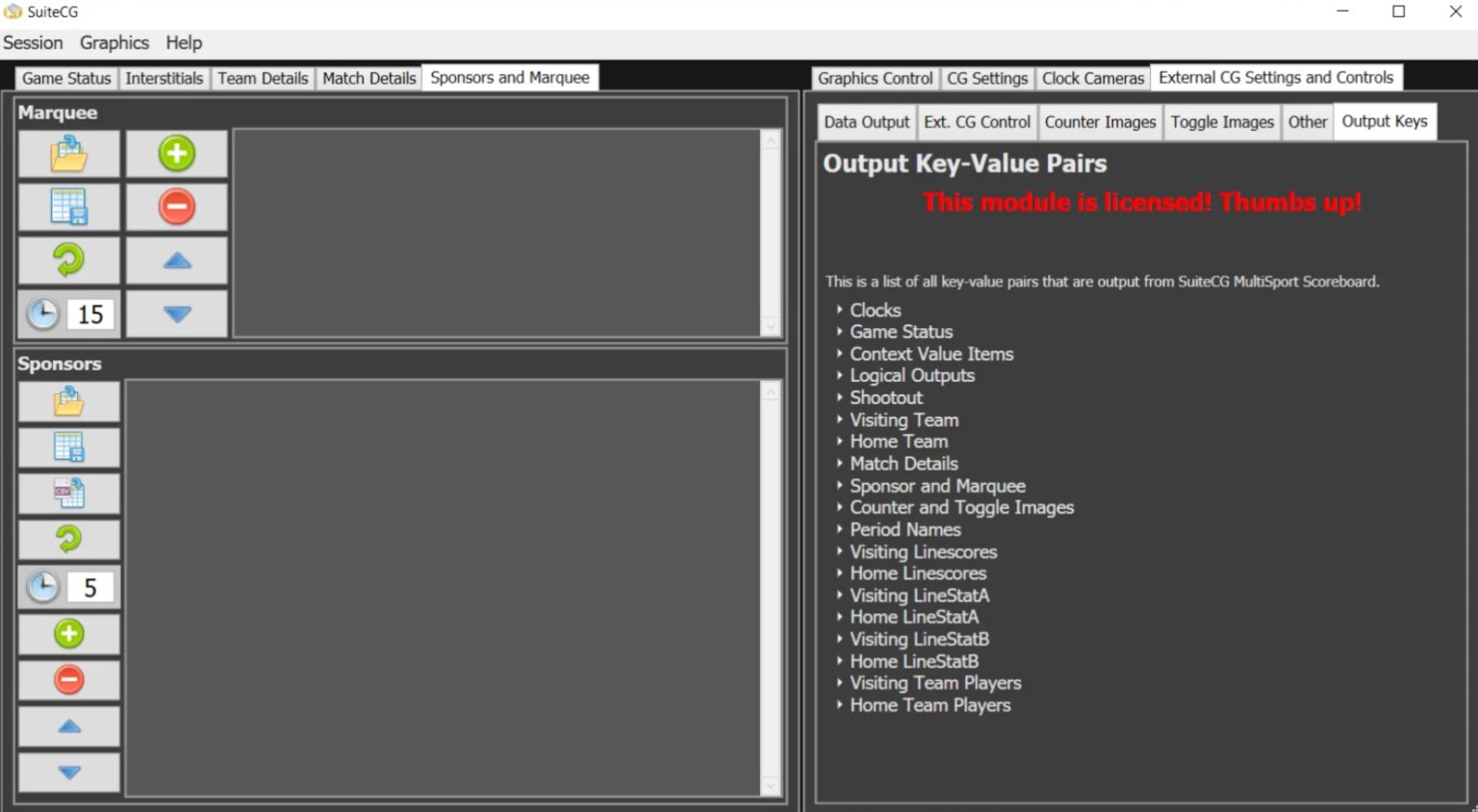
Operators can also use sponsor elements and marquees to add commercial messages or important information to a broadcast. SuiteCG has described features including sponsor carousels, full-screen sponsor graphics, and text marquees for advertisements or game information. (SuiteCG)
NDI support is another important part of the workflow. SuiteCG can transmit graphics as an NDI source, allowing compatible production systems to receive graphics over a network. This makes it possible to integrate the scoreboard into modern software-based broadcasting setups without relying entirely on traditional graphics hardware. (SuiteCG)
For operators using third-party character generators, XML and CSV outputs provide another workflow option. This flexibility can be valuable when a production team already has an established graphics system and wants SuiteCG to manage the underlying sports data.
Step 5: Export / Save Output
Once the game information and graphics are configured, the final step is sending the output to the production environment. Depending on the workflow, this may involve NDI graphics, XML data, or CSV data.
Before a live event, test the complete signal path. Confirm that the production software receives the correct source, the graphics resolution matches the production session, and scores and clocks update correctly.
For example, SuiteCG’s documentation notes that matching NDI source settings with the production session can help prevent problems such as freezing or unwanted conversion. Testing the entire workflow before going live is therefore an important part of professional sports production. (SuiteCG)
Best Use Cases for SuiteCG MultiSport Scoreboard
SuiteCG MultiSport Scoreboard can be useful in a variety of sports broadcasting environments, including:
- School and university sports broadcasts
- Local sports leagues and tournaments
- Community sports streaming
- Professional and semi-professional productions
- Sports production companies
- Live internet broadcasts
- Multi-sport facilities
- Budget-conscious broadcast teams
- Productions using NDI-compatible equipment
Its focus on configurable sports graphics makes it particularly suitable for organizations that cover different sports throughout the year.
Advantages and Limitations
Advantages
- Supports multiple sports from one platform.
- Provides dedicated interfaces for several sports.
- Supports NDI-based graphics workflows.
- Offers XML and CSV data output for compatible production systems.
- Includes sport-specific graphics packages.
- Supports team information and roster workflows.
- Provides options for sponsor graphics and marquees.
- Can be integrated with popular software-based production environments.
- Touchscreen-friendly controls can make live operation more convenient.
- Suitable for schools and budget-conscious sports broadcasters. (SuiteCG)
Limitations
- SuiteCG is designed for Windows rather than offering a native Mac or Linux version.
- Some advanced integrations may require additional configuration.
- NDI workflows depend on compatible network and production equipment.
- Third-party systems may have their own limitations when processing rapidly changing scoreboard data.
- Operators should test their specific production workflow before a live broadcast.
- Not every sport has the same level of dedicated interface or graphics support; some sports may rely on planned or generic functionality. (SuiteCG)
Alternatives to SuiteCG MultiSport Scoreboard
Depending on your production requirements, there are several categories of alternatives worth considering. General-purpose broadcast graphics platforms can be useful when you need extensive custom design capabilities, while integrated live-production applications may be better if you want switching, graphics, and streaming in one environment.
Other scoreboard and sports graphics solutions may also be appropriate when your priority is a specific sport, automated statistics, cloud-based production, or a particular hardware ecosystem.
However, SuiteCG MultiSport Scoreboard stands out when the goal is to combine sport-specific scoring controls with flexible NDI, XML, and CSV integration in a Windows-based workflow.
Frequently Asked Questions (FAQs)
What is SuiteCG MultiSport Scoreboard?
SuiteCG MultiSport Scoreboard is a sports scoring and broadcast graphics solution designed to manage live game information and deliver dynamic graphics or data to production systems.
Which sports does SuiteCG MultiSport Scoreboard support?
Supported sports include basketball, baseball/softball, American football, soccer, hockey, tennis, volleyball, and wrestling. SuiteCG also provides a generic interface for situations where a specific sport is not directly listed. (SuiteCG)
Does SuiteCG MultiSport Scoreboard support NDI?
Yes. SuiteCG provides NDI-based graphics output, allowing compatible production systems to receive scoreboard graphics over a network. (SuiteCG)
Can SuiteCG work with vMix?
Yes. SuiteCG lists vMix as supporting NDI, XML, and CSV integration with MultiSport Scoreboard. (SuiteCG)
Is SuiteCG MultiSport Scoreboard suitable for beginners?
Yes. Its sport-specific interfaces and large controls are designed to simplify live operation. Beginners can start with the available controls and gradually explore more advanced graphics and integration features.
Can SuiteCG be used for school sports?
Yes. SuiteCG specifically positions MultiSport Scoreboard as a solution for schools and budget-conscious live-streaming teams, making it suitable for educational sports productions. (SuiteCG)
Conclusion
SuiteCG MultiSport Scoreboard provides a practical approach to live sports scoring and broadcast graphics. Instead of treating the scoreboard as a simple numerical display, it combines game controls, sport-specific workflows, graphics packages, sponsor presentation, and multiple integration methods.
For schools, local broadcasters, sports organizations, and streaming teams, its support for NDI, XML, and CSV can make it easier to connect live scoring information with an existing production workflow. With the right setup and testing, SuiteCG can help transform basic sports streams into more informative and professional-looking broadcasts.
Whether you are producing basketball, soccer, baseball, football, hockey, tennis, volleyball, wrestling, or another supported sport, SuiteCG MultiSport Scoreboard offers a flexible foundation for managing live sports data and presenting it clearly to viewers.
Download
Telegram ID
eMail
Request for One Day Pro Demo For Free Pro Demo Download