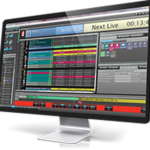
Marsis Streamer 5.37: Complete Guide to Features, Workflow, Benefits, and Alternatives
In today’s digital broadcasting landscape, reliable streaming software is essential for content creators, broadcasters, online educators, and businesses. Marsis Streamer is designed to simplify live streaming workflows while providing professional-level broadcasting capabilities. Whether you’re hosting online events, streaming live shows, broadcasting sports coverage, or managing corporate presentations, Marsis Streamer offers a streamlined environment for producing high-quality live content.
One of the biggest advantages of Marsis Streamer is its ability to combine media management, live production, graphics integration, and streaming output within a single platform. This helps users reduce complexity while maintaining professional broadcast standards. In this guide, we’ll explore how Marsis Streamer works, its main features, advantages, limitations, and the best alternatives available today.
Step 1: Create a New Project
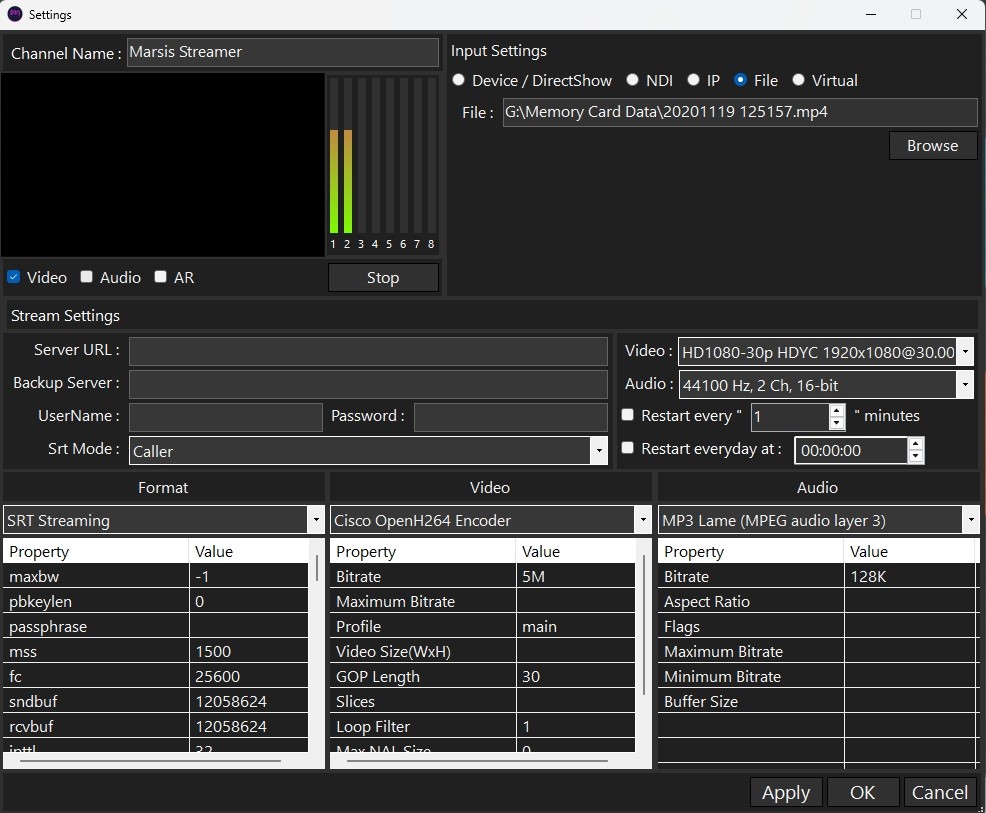
Getting started with Marsis Streamer begins by creating a new project. The software typically provides a project dashboard where users can define streaming settings, video resolutions, frame rates, and output destinations before beginning production.
When creating a project, it is important to configure settings that match your broadcasting requirements. Users can choose HD, Full HD, or higher resolutions depending on available hardware resources and streaming platforms. Proper project setup ensures smooth performance throughout the live production process and minimizes technical issues during broadcasts.
Step 2: Import Media / Setup
After creating a project, the next step is importing media assets and configuring the production environment. Marsis Streamer supports various media formats, allowing users to bring in videos, images, audio files, graphics, and branding materials.
The setup process often includes:
- Importing video clips
- Adding logos and overlays
- Configuring audio sources
- Connecting cameras
- Setting up streaming destinations
- Creating scene layouts
Proper media organization helps streamline production workflows and allows operators to switch content quickly during live broadcasts. This stage is particularly important for professional productions where timing and efficiency matter.
Step 3: Main Workflow
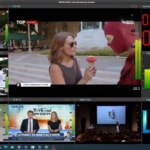
The core workflow of Marsis Streamer revolves around managing live content and delivering engaging broadcasts. Users can create multiple scenes containing different combinations of media, cameras, graphics, and audio sources.
During a live production, operators can switch between scenes, trigger media playback, display graphics, and manage audio levels in real time. This flexibility makes the platform suitable for a variety of applications, including live events, webinars, church services, sports broadcasts, and corporate communications.
The intuitive workflow helps both beginners and experienced broadcasters maintain production quality while reducing operational complexity. Real-time monitoring tools further assist in ensuring a stable and professional streaming experience.
Step 4: Add Features (Effects, Tools, and Customization)
One of the strengths of Marsis Streamer is its collection of production tools and customization features. These capabilities help users create visually appealing broadcasts that keep audiences engaged.
Common features may include:
Graphics and Overlays
Users can add logos, lower thirds, titles, scoreboards, and promotional graphics. These visual elements help reinforce branding and improve audience engagement.
Transition Effects
Professional scene transitions allow broadcasts to flow smoothly between cameras, media clips, and presentation screens.
Audio Controls
Built-in audio tools help balance sound levels, manage multiple audio sources, and improve overall audio quality.
Multi-Source Support
Marsis Streamer can handle multiple input sources, enabling users to switch between cameras, presentations, videos, and live feeds with ease.
Custom Layouts
Broadcasters can design layouts tailored to their production needs, making it easier to present interviews, discussions, sports coverage, or educational content.
Step 5: Export / Save Output
Once production is complete, Marsis Streamer provides options for exporting recordings and streaming content to various platforms. Users can save projects for future editing, archive broadcasts, or distribute recorded content across multiple channels.
Export settings typically allow users to select desired formats, resolutions, and compression levels. Choosing the appropriate output settings ensures optimal video quality while maintaining manageable file sizes. This flexibility makes Marsis Streamer useful for both live streaming and content repurposing.
Best Use Cases for Marsis Streamer
Marsis Streamer is suitable for a wide range of broadcasting and streaming applications.
Some common use cases include:
- Live event broadcasting
- Online conferences and webinars
- Educational streaming
- Corporate communications
- Church and worship services
- Sports production
- News broadcasting
- Content creator live streams
- Product launches and demonstrations
- Remote production workflows
Its versatile feature set allows organizations of different sizes to create professional-quality broadcasts without investing in highly complex production systems.
Advantages and Limitations
Advantages
Marsis Streamer offers several benefits that make it attractive for broadcasters and content creators.
- User-friendly interface
- Professional streaming capabilities
- Multi-source production support
- Real-time graphics integration
- Flexible scene management
- Customizable layouts
- Efficient workflow design
- Suitable for both beginners and professionals
- Supports various broadcasting scenarios
- Centralized production environment
These advantages help users produce high-quality live streams while maintaining operational efficiency.
Limitations
Like any broadcasting platform, Marsis Streamer may have certain limitations depending on user requirements.
- Advanced features may require learning time
- Performance depends on hardware specifications
- Large productions may require additional resources
- Some integrations may vary based on workflow needs
- Professional environments may need specialized configurations
Understanding these limitations helps users determine whether the software aligns with their production goals.
Alternatives to Marsis Streamer
While Marsis Streamer offers a strong set of streaming tools, several alternatives may also be worth considering.
OBS Studio
A popular open-source streaming solution known for flexibility and extensive community support.
vMix
A professional live production platform with advanced switching, recording, and streaming capabilities.
Wirecast
Designed for high-quality live streaming and broadcast production across multiple platforms.
Streamlabs Desktop
A beginner-friendly solution focused on content creators and online streamers.
XSplit Broadcaster
Offers a streamlined interface and useful production tools for professional live broadcasts.
Each alternative provides unique strengths, making it important to evaluate features, budget, and workflow requirements before making a decision.
Frequently Asked Questions (FAQs)
What is Marsis Streamer used for?
Marsis Streamer is used for live streaming, broadcast production, media management, and real-time content delivery across various platforms.
Is Marsis Streamer suitable for beginners?
Yes. Its user-friendly interface helps new users learn broadcasting workflows while still offering professional-level capabilities.
Can Marsis Streamer handle multiple video sources?
Yes. The Marsis Streamer software 2026 is designed to manage multiple cameras, media files, graphics, and other input sources within a single production environment.
Does Marsis Streamer support professional broadcasting?
Yes. Many of its features are intended to support professional live production and streaming workflows.
Can projects be saved for future use?
Yes. Users can typically save project configurations, media setups, and production layouts for future broadcasts.
Is Marsis Streamer useful for corporate events?
Absolutely. It is suitable for webinars, virtual meetings, presentations, conferences, and internal communications.
Conclusion
Marsis Streamer 2026 is a versatile live streaming and broadcast production solution that helps users create professional-quality content with greater efficiency. From project creation and media setup to real-time production and final output, the platform provides a streamlined workflow designed for modern broadcasting needs.
Whether you’re a content creator, educator, event organizer, broadcaster, or business professional, Marsis Streamer offers the tools necessary to manage high-quality live productions. By understanding its workflow, features, advantages, and alternatives, users can make informed decisions and maximize the value of their streaming operations.
Download
Telegram ID
eMail