Cinegy Titler 15.1: A Complete Guide to Professional Broadcast Graphics and Titling
In modern television broadcasting, live production, and video content creation, high-quality graphics play a crucial role in delivering engaging visual experiences. Cinegy Titler is a professional graphics and titling solution designed to help broadcasters, production houses, and content creators create dynamic on-screen graphics with ease. From lower thirds and news tickers to animated titles and branding elements, Cinegy Titler offers a powerful set of tools for real-time graphic generation.
Whether you are working in a live broadcast environment or preparing graphics for recorded productions, Cinegy Titler provides flexibility, efficiency, and professional-grade output. This guide explores its workflow, features, advantages, limitations, and best use cases to help you understand how this broadcast graphics solution fits into modern production environments.
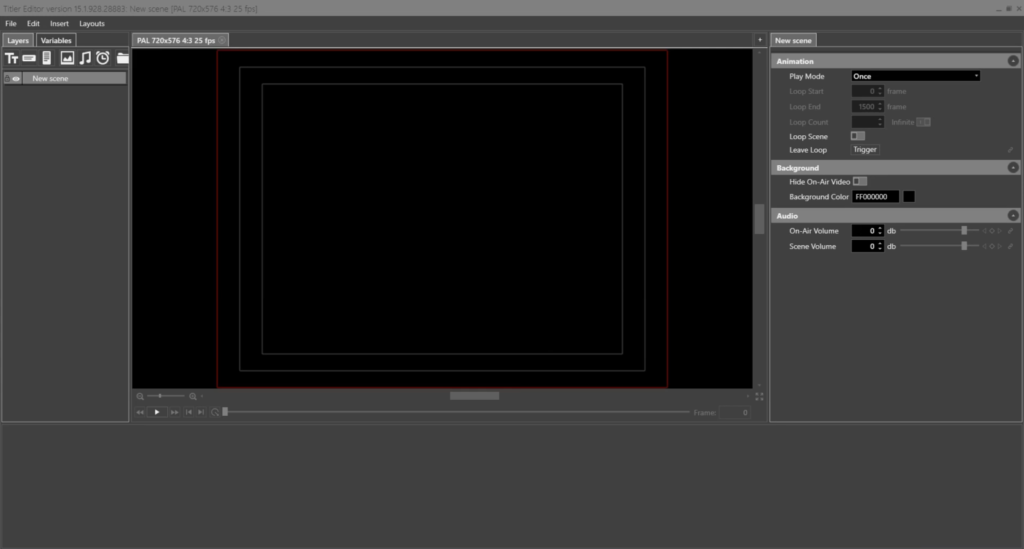
Step 1: Create a New Project
Getting started with Cinegy Titler begins by creating a new graphics project. After launching the software, users can establish a project that defines the design environment, screen resolution, and output format. Proper project setup ensures that graphics display correctly across different broadcast and streaming platforms.
A well-structured project serves as the foundation for all graphic elements. Users can organize title templates, branding assets, and animations into dedicated project folders, making it easier to manage large-scale productions. This organized workflow is particularly beneficial for broadcasters handling multiple channels or daily live programming.
Step 2: Import Media / Setup
Once the project is created, the next step is importing media assets and configuring the graphics environment. Cinegy Titler supports various media formats, allowing users to incorporate logos, images, videos, and design elements into their graphic compositions.
At this stage, users can also configure fonts, color schemes, branding guidelines, and animation presets. By setting up reusable templates early in the workflow, production teams can maintain visual consistency across broadcasts while reducing design time. This setup process ensures efficient graphics creation for both live and pre-recorded content.
Step 3: Main Workflow (Editing and Design)
The core workflow of Cinegy Titler revolves around creating and customizing graphics. Users can design lower thirds, scoreboards, captions, news tickers, and full-screen graphics using an intuitive interface. The software provides precise control over text formatting, positioning, and visual styling.
Designers can layer multiple graphic elements together to create sophisticated compositions. Text objects, images, animations, and dynamic data sources can be combined within a single project. This flexibility enables broadcasters to develop visually engaging graphics that align with their branding requirements.
For live production environments, Cinegy Titler integrates seamlessly with newsroom systems and broadcast workflows. This allows operators to update text, statistics, and real-time information without interrupting the broadcast. The result is a fast and efficient graphics production process suitable for demanding live events.
Step 4: Add Features (Effects, Tools, and Customization)
One of the strongest aspects of Cinegy Titler is its extensive customization capability. Users can enhance graphics through animations, transitions, and visual effects that improve viewer engagement and overall production quality.
Key customization features include:
- Advanced text styling options
- Animated lower thirds
- Real-time data integration
- Dynamic graphic templates
- Custom branding elements
- Layer-based design workflow
- Multi-channel graphics support
- Live update capabilities
The software allows operators to create reusable templates that can be quickly modified during broadcasts. This feature is especially valuable for newsrooms, sports productions, and live event coverage where information changes frequently.
Additionally, dynamic graphics can pull data from external sources, enabling automated updates for scores, election results, financial data, and other live information. This automation significantly reduces manual workload while improving accuracy.
Step 5: Export / Save Output
After designing graphics, users can save projects for future editing or deploy them directly within a broadcast environment. Cinegy Titler supports professional output workflows designed for television, streaming, and live production systems.
Projects can be archived for later use, making it easy to reuse templates and branding packages across multiple productions. This capability helps organizations maintain consistent visual identity while streamlining future workflows.
For broadcasters operating in live environments, graphics can be rendered and displayed in real time without requiring lengthy export processes. This efficiency makes Cinegy Titler particularly suitable for fast-paced production settings.
Best Use Cases for Cinegy Titler
Cinegy Titler is designed for a wide range of professional applications. Its versatility makes it suitable for organizations that require reliable and high-quality graphics generation.
Common use cases include:
Television Broadcasting
News channels, entertainment networks, and regional broadcasters use Cinegy Titler to create lower thirds, breaking news banners, and channel branding graphics.
Live Sports Production
Sports broadcasters can generate scoreboards, player statistics, team graphics, and live event overlays with real-time updates.
Corporate Video Production
Businesses use the platform to create branded presentations, event graphics, and professional video overlays.
Live Streaming
Online content Cinegy Titler Download 2026 creators and streaming platforms can enhance productions with professional-looking graphics and visual branding.
Government and Educational Broadcasting
Institutions use Cinegy Titler for informational broadcasts, public announcements, and educational programming.
Advantages and Limitations
Advantages
Professional Broadcast Quality
Cinegy Titler delivers graphics that meet professional television production standards.
Real-Time Graphics Generation
The platform supports live graphic updates, making it ideal for news and sports broadcasting.
Flexible Customization
Users can create highly customized graphic templates that match brand requirements.
Workflow Integration
The software integrates efficiently with existing broadcast and newsroom systems.
Template-Based Efficiency
Reusable templates help reduce repetitive design work and increase productivity.
Scalable Solution
Suitable for both small production teams and large broadcasting organizations.
Limitations
Learning Curve for Beginners
New users may need time to understand advanced broadcast graphics workflows.
Primarily Broadcast-Focused
The software is optimized for professional broadcasting and may be more powerful than necessary for casual video creators.
Hardware Requirements
Complex real-time graphics workflows may require capable hardware for optimal performance.
Professional Environment Dependency
Some advanced features provide the most value when integrated into larger broadcast infrastructures.
Alternatives to Cinegy Titler
Several alternatives offer graphics and titling capabilities depending on production requirements and budget.
- Vizrt
- Ross XPression
- Chyron PRIME
- Adobe After Effects
- NewBlue Titler Live
- CasparCG
Each alternative offers different strengths, ranging from advanced broadcast graphics workflows to motion graphics creation and live production support.
Frequently Asked Questions (FAQs)
What is Cinegy Titler used for?
Cinegy Titler is used to create professional broadcast graphics, lower thirds, captions, scoreboards, animated titles, and real-time on-screen visual elements.
Is Cinegy Titler suitable for live broadcasting?
Yes. The platform is specifically designed for live broadcast environments and supports real-time graphics generation and updates.
Can Cinegy Titler integrate with newsroom systems?
Yes. It can integrate with newsroom and broadcast workflows, enabling efficient graphic management and live updates.
Does Cinegy Titler support dynamic data?
Yes. Users can connect graphics to external data sources for automated updates such as scores, statistics, and news information.
Is Cinegy Titler beginner-friendly?
While the interface is professional and feature-rich, Cinegy Titler download 2026 eginners may need some training to fully utilize its advanced broadcast capabilities.
What industries commonly use Cinegy Titler?
Television broadcasting, sports production, corporate communications, education, government broadcasting, and live streaming are among its most common applications.
Conclusion
Cinegy Titler is a powerful broadcast graphics solution built for professional production environments. Its ability to create dynamic graphics, integrate with newsroom systems, and support real-time updates makes it a valuable tool for broadcasters and live production teams. From lower thirds and scoreboards to fully branded graphic packages, the platform provides the flexibility and performance required for modern broadcasting.
For organizations seeking reliable, scalable, and professional-grade graphics generation, Cinegy Titler remains a strong choice. Its extensive customization options, workflow efficiency, and live production capabilities make it an essential component of many broadcast operations worldwide.
Download
Telegram ID
eMail