Metus INGEST 5.9.1.0: A Complete Guide to Professional Media Ingest and File-Based Workflow
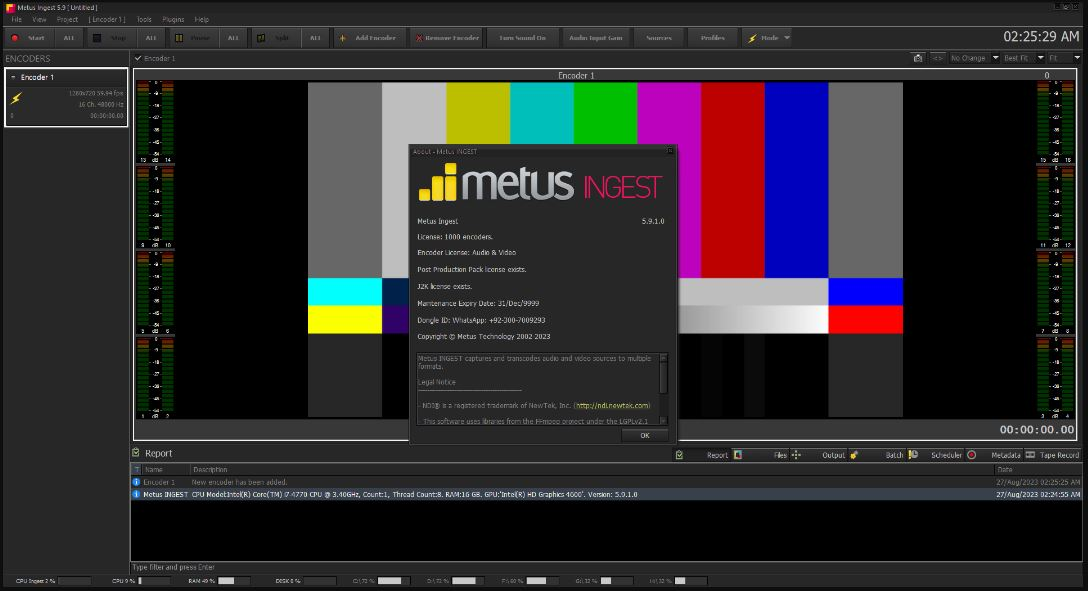
Metus INGEST 5.9.1.0 is a professional media ingest solution designed to simplify the process of capturing, transferring, and managing video content in broadcast, production, and post-production environments. Whether you’re working in a television station, news organization, live production studio, or corporate media department, Metus INGEST helps automate media acquisition while ensuring reliability and efficiency.
Modern media workflows demand speed, accuracy, and compatibility with various file formats. Instead of relying on manual transfers or complex recording processes, Metus INGEST streamlines content ingestion from multiple sources into a centralized workflow. This reduces production delays, minimizes human error, and improves overall productivity.
In this guide, you’ll learn how Metus INGEST works, its main workflow, advantages, limitations, best use cases, and the alternatives available for professional media environments.
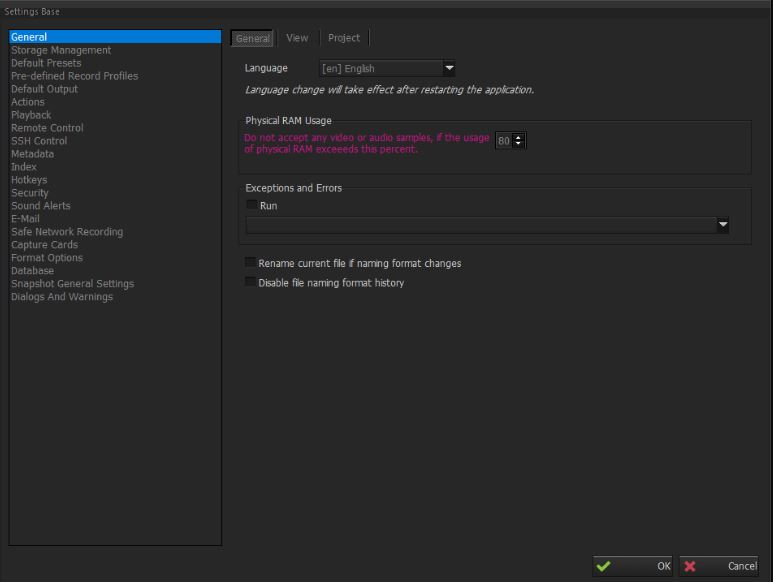
Step 1: Create a New Project
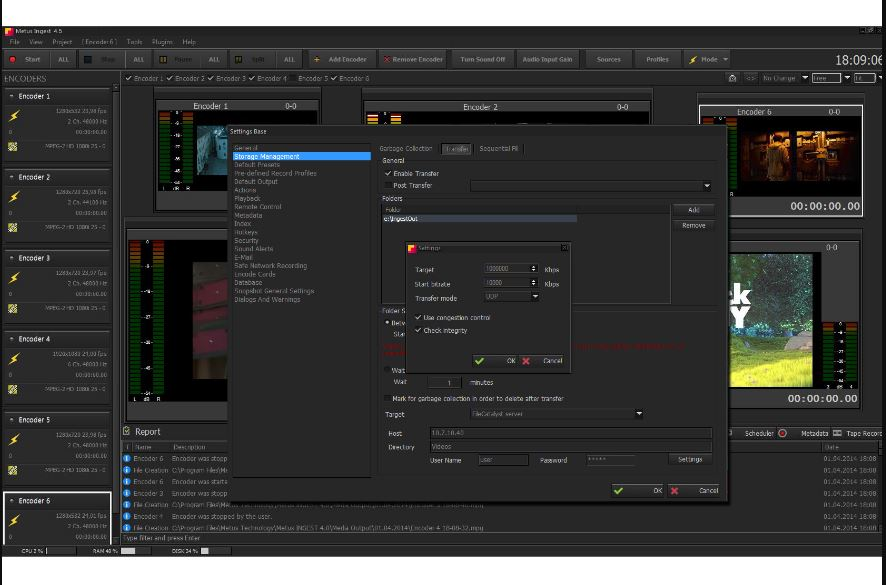
The first step in using Metus INGEST v5.9.1.0 is creating a new project that will organize your media acquisition workflow. Projects allow users to separate recordings based on production, client, event, or broadcast schedule, making file management much easier.
When creating a project, users typically configure recording destinations, naming conventions, metadata settings, and storage locations. Proper project organization helps production teams locate media quickly and maintain a structured archive for future editing or broadcasting.
Setting up projects correctly also reduces confusion when multiple operators are working simultaneously in a shared production environment.
Step 2: Import Media / Setup
After creating the project, the next step is configuring the media sources and ingest settings. Metus INGEST supports various input sources depending on your production infrastructure, allowing teams to capture content efficiently.
Typical setup includes:
- Configuring video input sources
- Selecting recording codecs and formats
- Assigning storage locations
- Setting recording schedules
- Configuring metadata fields
- Verifying audio and video signals
Proper setup ensures that every recording is captured accurately while maintaining compatibility with editing systems and archive workflows. Taking a few extra minutes during configuration can prevent workflow interruptions later.
Step 3: Main Workflow
Once everything has been configured, Metus INGEST begins its primary media ingest workflow. Operators can capture live feeds, scheduled recordings, or incoming media while the software automatically manages file creation and storage.
The workflow is designed for continuous operation, making it ideal for television stations and production houses that require reliable recording throughout the day. Media files are organized automatically according to predefined project settings, allowing editors to access footage almost immediately after recording.
Many organizations integrate Metus INGEST with newsroom computer systems, media asset management platforms, and editing software to create an efficient end-to-end production workflow. This integration minimizes manual tasks and significantly improves production speed.
Its automation capabilities help broadcasters maintain consistent recording quality while reducing operational workload.
Step 4: Add Features (Effects, Tools, and Customization)
Although Metus INGEST primarily focuses on media acquisition rather than creative editing, it includes several useful management and workflow customization features that improve production efficiency.
Common customization options include:
- Automated recording schedules
- Custom file naming rules
- Metadata management
- Multiple recording profiles
- Storage path customization
- Simultaneous recording options
- Recording monitoring tools
- Automated workflow integration
These features allow organizations to adapt the software to their existing production environment. Automated workflows reduce repetitive manual tasks while ensuring that media is consistently stored according to company standards.
This flexibility makes Metus INGEST suitable for both small production teams and large enterprise broadcast operations.
Step 5: Export / Save Output
After recording is complete, the captured media is automatically saved according to the selected project configuration. Files can be stored on local drives, shared storage systems, or centralized media servers depending on the organization’s workflow.
Because files are already organized with proper metadata and naming conventions, editors can begin post-production immediately without spending additional time locating or renaming media.
This efficient output process reduces turnaround time, which is especially important for live news, sports coverage, and time-sensitive productions.
Best Use Cases for Metus INGEST
Metus INGEST is suitable for a wide range of professional media environments where reliable recording and media acquisition are essential.
Common use cases include:
- Television broadcast stations
- Live event recording
- News production workflows
- Sports broadcasting
- Media monitoring centers
- Corporate video production
- Government media departments
- Educational institutions
- Podcast and webcast production
- Content archiving projects
Organizations handling large amounts of video content benefit from its automation, stability, and centralized media management capabilities.
Advantages and Limitations
Advantages
Metus INGEST offers several benefits for professional media teams:
- Reliable media ingest for continuous operation
- Automated recording workflows
- Professional metadata management
- Organized project-based file structure
- Supports multiple recording configurations
- Reduces manual production tasks
- Improves collaboration between production and editing teams
- Compatible with professional broadcast environments
- Efficient storage management
- Scalable for growing production requirements
Its automation helps teams focus more on content creation instead of repetitive operational tasks.
Limitations
Despite its strengths, there are a few considerations before implementing Metus INGEST:
- Primarily designed for professional workflows rather than beginners
- Initial setup may require technical knowledge
- Advanced features depend on production infrastructure
- Not intended as a full-featured video editing application
- Enterprise deployment may require additional planning and integration
For organizations with simple recording needs, some advanced capabilities may be more than necessary.
Alternatives to Metus INGEST
If you’re comparing professional media ingest software solutions, several alternatives offer similar workflow capabilities depending on your production requirements.
Popular alternatives include:
- Cinegy Capture
- Telestream Lightspeed Live Capture
- EVS XT Series
- Softron MovieRecorder
- ToolsOnAir Just:In
- Avid FastServe Ingest
- Harmonic MediaGrid solutions
Each platform offers different strengths regarding automation, scalability, storage integration, and broadcast workflow compatibility. Choosing the right solution depends on production size, budget, and technical requirements.
Frequently Asked Questions (FAQs)
What is Metus INGEST?
Metus INGEST Download is a professional media ingest solution that captures, records, and manages video content for broadcast, production, and enterprise media workflows.
Who should use Metus INGEST?
It is ideal for television stations, production companies, news organizations, educational institutions, and businesses that require reliable media acquisition.
Does Metus INGEST support automated recording?
Yes. It includes automation features that allow scheduled recordings and streamlined media capture workflows.
Can Metus INGEST integrate with professional production systems?
Yes. It is commonly integrated with newsroom systems, media asset management platforms, storage servers, and post-production workflows.
Is Metus INGEST suitable for beginners?
While the interface is designed for professional use, beginners can learn the basic workflow with proper training. Larger organizations often deploy it as part of a managed production environment.
Is Metus INGEST a video editing software?
No. Its primary purpose is media ingest, recording, organization, and workflow management rather than creative video editing.
Conclusion
Metus INGEST is a dependable solution for organizations seeking a professional and efficient media ingest workflow. By automating recording, organizing media assets, and simplifying production processes, it helps broadcasters and production teams improve efficiency while reducing manual work.
Whether you’re managing daily news production, live event coverage, corporate media, or large-scale broadcast operations, Metus INGEST provides the reliability and workflow flexibility needed for modern content creation. Its professional features, automation capabilities, and scalable architecture make it an excellent choice for businesses that require dependable media acquisition and organized file management.
Download
Telegram ID
eMail