LITESTAR 4D Suite 2026 Introduction
LITESTAR 4D Suite is a comprehensive lighting design and calculation software package created for professionals who need accurate lighting simulations, photometric analysis, and project documentation. Whether you’re designing lighting for residential spaces, commercial buildings, industrial facilities, museums, or outdoor environments, LITESTAR 4D Suite provides a complete set of tools to simplify the entire workflow from concept to final documentation.
Unlike basic lighting software, LITESTAR 4D Suite combines multiple specialized modules into one integrated platform, making it easier to manage complex lighting projects with precision. Beginners appreciate its organized interface, while experienced lighting consultants benefit from its advanced calculation engine and professional reporting capabilities. This guide explains how to use LITESTAR 4D Suite, its major features, advantages, limitations, and the best situations where the software truly excels.
Step 1: Create a New Project
The first step in using LITESTAR 4D Suite is creating a new lighting project. After launching the software, choose the appropriate project template or start from scratch depending on your design requirements. Enter important project information such as the project title, client details, building location, room dimensions, and preferred calculation standards. Organizing these details at the beginning helps maintain consistency throughout the project and ensures reports remain professional. Proper project setup also allows you to manage multiple lighting calculations efficiently while reducing the chances of missing critical design information later in the workflow.

Step 2: Import Media / Setup
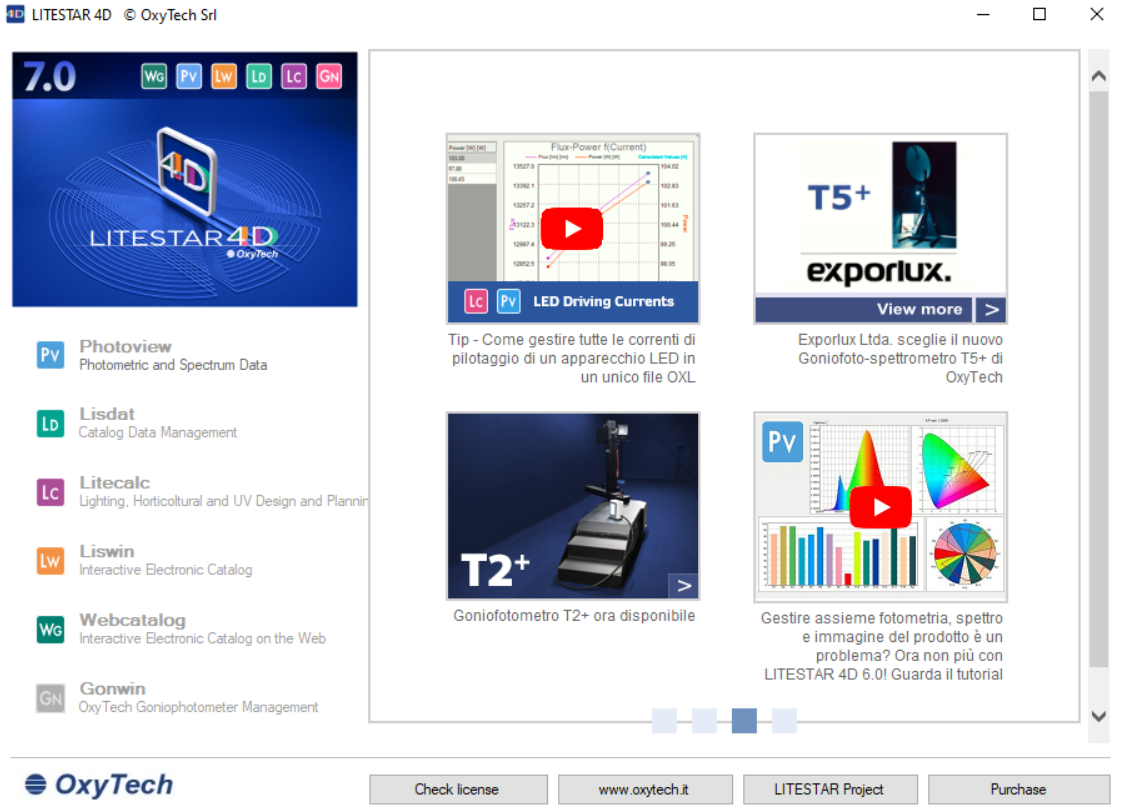
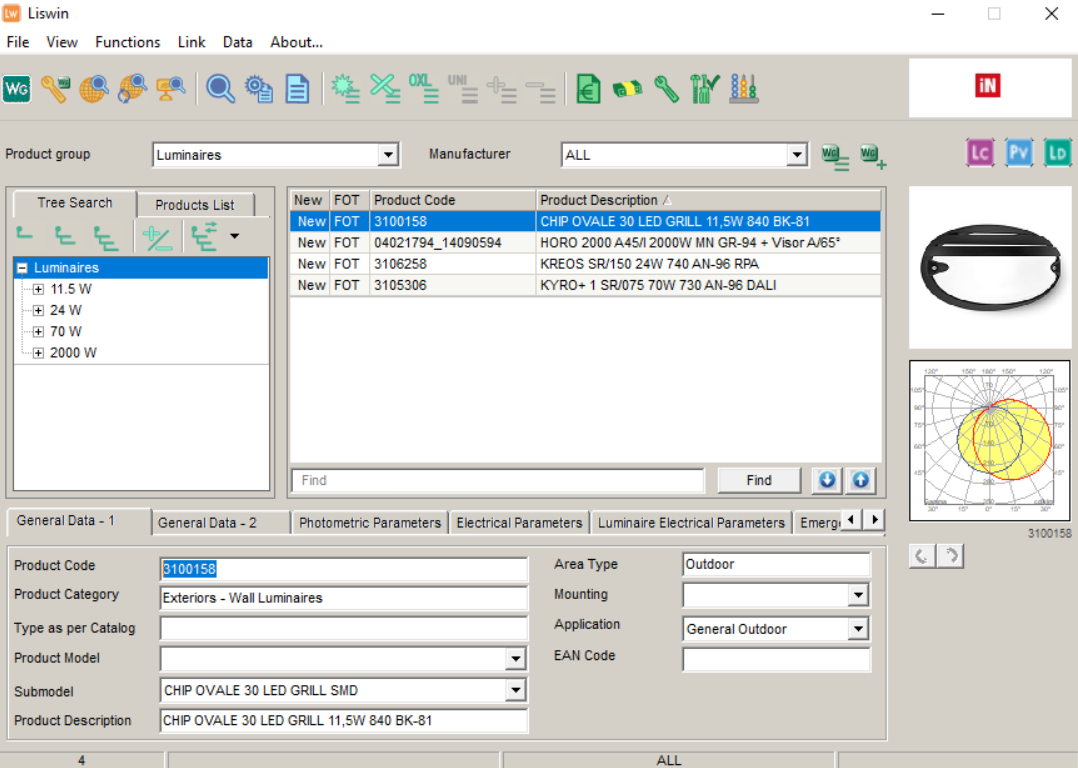
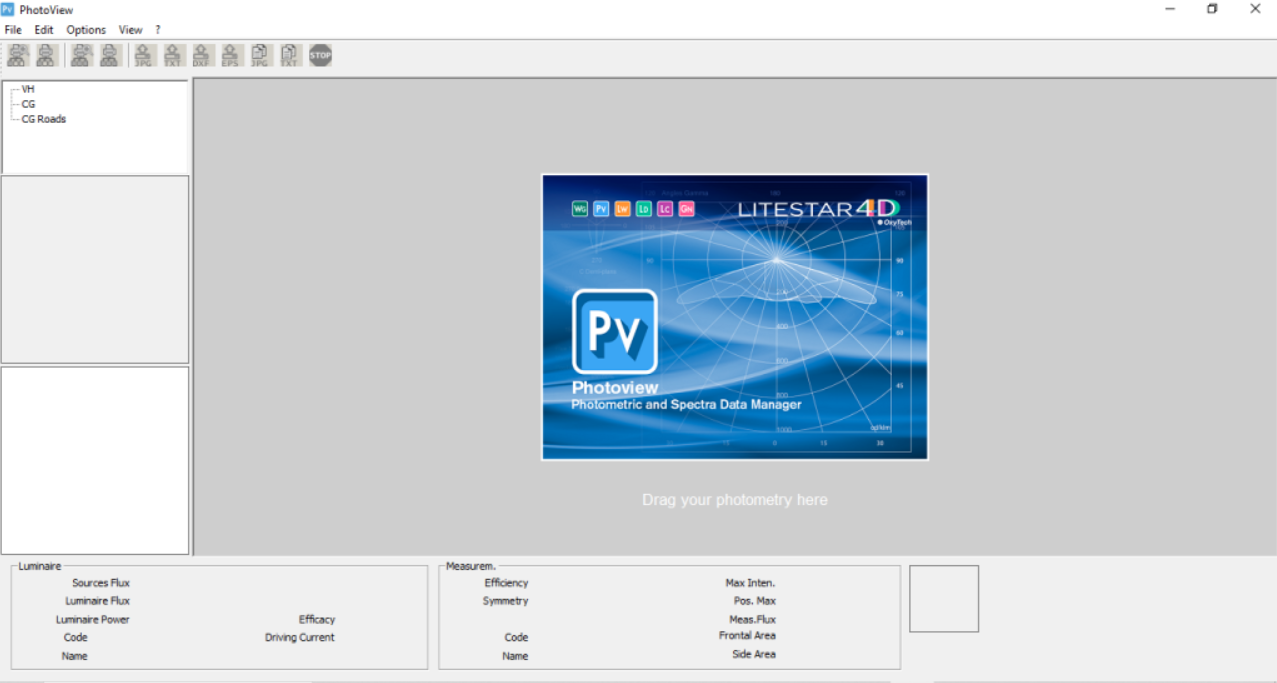
After creating your project, import the architectural information required for lighting design. LITESTAR 4D Suite supports importing floor plans, CAD drawings, and other reference files that help create an accurate workspace. Once the layout is available, define room dimensions, ceiling heights, wall materials, and surface reflectance values to improve calculation accuracy. You can also configure lighting standards, energy requirements, and project preferences before placing fixtures. Spending time on proper setup ensures that the final lighting simulations closely represent real-world conditions and produce dependable results for professional installations.
Step 3: Main Workflow (Editing, Lighting Design, and Calculations)
The primary workflow in LITESTAR 4D Suite revolves around designing efficient lighting systems while maintaining compliance with industry standards. Begin by selecting suitable lighting fixtures from manufacturer databases or custom libraries and position them throughout the project according to design requirements. The software automatically performs illuminance calculations, evaluates light distribution, and highlights areas that require adjustment. Designers can modify fixture placement, beam angles, mounting heights, and spacing until the desired lighting performance is achieved. Real-time calculations significantly reduce design errors and allow users to optimize projects before installation begins.
Step 4: Add Features (Effects, Tools, and Customization)
One of the strongest aspects of LITESTAR 4D Suite is its collection of professional tools designed to improve workflow efficiency and project quality. Users can generate realistic lighting simulations, customize fixture properties, perform energy consumption analysis, and compare different lighting scenarios with ease. Built-in reporting tools create detailed calculation documents that include photometric data, fixture schedules, and compliance information. Advanced customization options also allow professionals to create reusable templates, configure project standards, and personalize workflows, making large-scale lighting design projects significantly faster and more organized.
Step 5: Export / Save Output
Once the lighting design has been finalized, LITESTAR 4D Suite provides multiple export options for documentation and client presentation. Users can generate professional reports containing calculation results, lighting layouts, technical specifications, and energy analysis. Project files can also be saved for future revisions or collaboration with team members. Exporting complete documentation helps contractors, architects, and clients clearly understand the proposed lighting solution while maintaining professional standards. Properly organized project files also simplify future maintenance, updates, and regulatory compliance checks.
Best Use Cases for LITESTAR 4D Suite
LITESTAR 4D Suite is suitable for a wide variety of professional lighting applications. Its powerful calculation tools make it valuable for architects, lighting designers, engineers, consultants, and facility planners working on projects of different sizes.
Common use cases include:
- Residential lighting design
- Commercial office lighting
- Industrial facility illumination
- Retail store lighting layouts
- Hotel and hospitality projects
- Educational institutions
- Healthcare facilities
- Museum and exhibition lighting
- Warehouse lighting optimization
- Outdoor and street lighting analysis
- Energy-efficient lighting planning
- Professional photometric calculations
Its flexibility allows professionals to create lighting solutions that balance visual comfort, energy efficiency, and regulatory compliance.
Advantages and Limitations
Advantages
LITESTAR 4D Suite offers several benefits that make it a preferred choice for professional lighting projects.
- Comprehensive lighting calculation tools
- Accurate photometric analysis
- Supports professional documentation
- Integrated workflow for multiple project types
- Large luminaire database compatibility
- Energy efficiency evaluation
- Reliable compliance with lighting standards
- Flexible customization options
- High-quality reporting capabilities
- Suitable for beginners and experienced professionals
These features help reduce design errors while improving project accuracy and productivity.
Limitations
Although LITESTAR 4D Suite is highly capable, users should also consider a few limitations before adopting the software.
- Learning advanced modules requires practice.
- Large projects may require powerful computer hardware.
- Some specialized features are primarily intended for professional lighting consultants.
- Initial configuration can take time for first-time users.
- Advanced workflows may feel overwhelming for complete beginners.
Fortunately, most users become comfortable with the interface after completing a few real-world projects.
Alternatives to LITESTAR 4D Suite
Several lighting design applications offer functionality similar to LITESTAR 4D Suite, depending on project requirements and workflow preferences.
Popular alternatives include:
- DIALux evo
- ReluxDesktop
- AGi32
- Visual Lighting Software
- Autodesk Revit (Lighting Design Workflows)
- ElumTools
- LightStanza
- Calculux
- Lighting Reality
- Trimble NovaPoint Lighting
Each software package has its own strengths, making it worthwhile to compare features before selecting the best solution for your organization.
Frequently Asked Questions (FAQs)
Is LITESTAR 4D Suite suitable for beginners?
Yes. Although it includes professional-grade features, beginners can learn the basics by starting with smaller lighting projects and gradually exploring advanced modules.
What is LITESTAR 4D Suite mainly used for?
It is primarily used for professional lighting design, photometric calculations, lighting simulations, energy analysis, and technical documentation.
Can I design both indoor and outdoor lighting?
Yes. The software supports residential, commercial, industrial, and outdoor lighting projects with detailed calculation capabilities.
Does LITESTAR 4D Suite support manufacturer lighting databases?
Yes. It is designed to work with luminaire databases, allowing designers to use real lighting products during project planning.
Is the software suitable for commercial projects?
Absolutely. It is widely used for offices, retail stores, hotels, educational facilities, healthcare buildings, industrial environments, and many other commercial applications.
Can lighting reports be exported?
Yes. Users can generate detailed professional reports that include lighting calculations, fixture schedules, technical information, and project documentation.
Does the software help improve energy efficiency?
Yes. One of its strengths is evaluating lighting performance while helping designers create more energy-efficient installations.
Who should use LITESTAR 4D Suite?
Lighting designers, architects, electrical engineers, consultants, contractors, and facility planners can all benefit from its comprehensive lighting design capabilities.
Conclusion
LITESTAR 4D Suite is a powerful lighting design platform that combines professional calculation tools, realistic simulations, energy analysis, and comprehensive documentation into one integrated solution. Its organized workflow allows users to move efficiently from project creation and lighting design to final reporting without relying on multiple disconnected applications.
Whether you’re planning residential lighting, designing commercial spaces, or managing large industrial projects, LITESTAR 4D Suite provides the accuracy and flexibility required for professional results. While advanced features may require some learning, the software rewards users with reliable calculations, improved productivity, and high-quality documentation. For professionals seeking dependable lighting design software that supports modern engineering standards, LITESTAR 4D Suite remains an excellent choice.
Download
Telegram ID
eMail